
















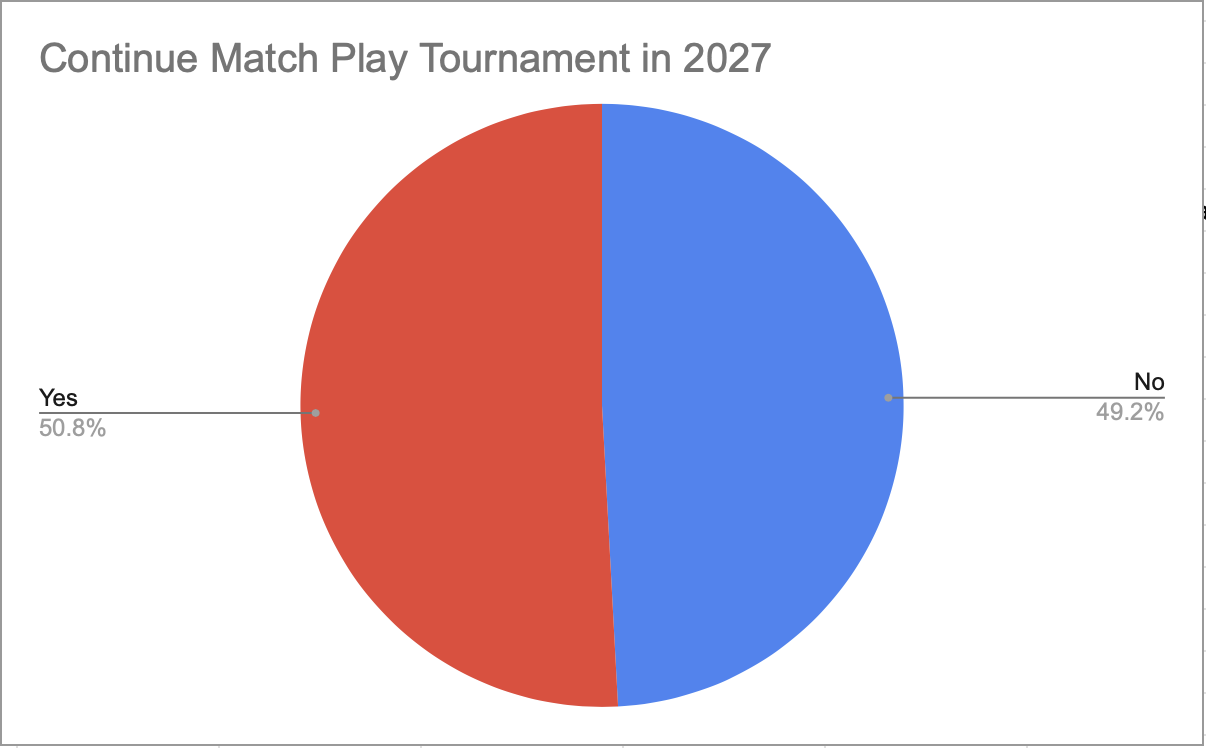
Match Play Survey Results
Thank you to all who responded. The PHGA Board appreciates your feedback.
There were 59 responses, which is roughly 50% of the membership
There we 16 comments, each provided insight into the reason behind the Yes or No provided, no particular theme emerged




Use Tee Opening Board When Looking for Takahashi Partner
If you're looking for a Takahashi partner you can use the Tee Opening Board to post to the membership. Fill in the opening post with the following:
Your Name = your name
Opening Date = September 12
Opening Time = 8:00 am
Opening spots = 1
Group = Looking for Takahashi partner
then click Post Opening
An email will be sent to the membership containing your request. Hopefully someone else looking for a partner will Claim the spot.



New Tee Opening Posting Feature
We're introducing a new feature on the PHGA website for posting available weekend tee time openings for groups. This feature will eventually replace the current process of sending an email to the phga@googlegroups.com. For the remainder of 2026 the new and old methods will be available.
We strongly encourage members to use the new website tee openings feature going forward. Why? The advantages the new method brings include;
Members can go out a see if there are any openings without shuffling through emails
Posting stay on the board until the tee time has past or it's cancelled by the poster
The opening can be claimed with a simple click which will then generate emails to the poster and claimer before removing the posting from the board
A poster can cancel their post anytime
When a new posting is made an email is sent to the membership that the opening has been posted with the information and a link to the bulletin board where they can claim the opening
A record is kept of who posted and who claimed for historical purposes
It's easy to use, to post an opening for your group;
click the Post an Opening
Select your name from the Your Name field
pick the date for the opening
enter the time for the opening
select the number of openings available in your group
complete the group name field with whatever text you want to describe the opening
click Post Opening
The system will send an email out to the PHGA membership with the information you provided including a link to the posting board where an interested person can claim the opening.
To claim an available opening;
Click Claim Spot next to the posted opening
select your name from the select your name field
click Claim this Spot
The system will send an email to the poster of the opening, copy you on the email and remove the posting from the posting board.
To remove a posting you made;
toward the bottom of the page select your name under Manage My Postings
Your postings will be displayed, click Cancel Opening
You will be ask to confirm the cancel, click OK
The posting will be removed from the board.
We hope everyone finds this new feature beneficial and easy to use.
Greg
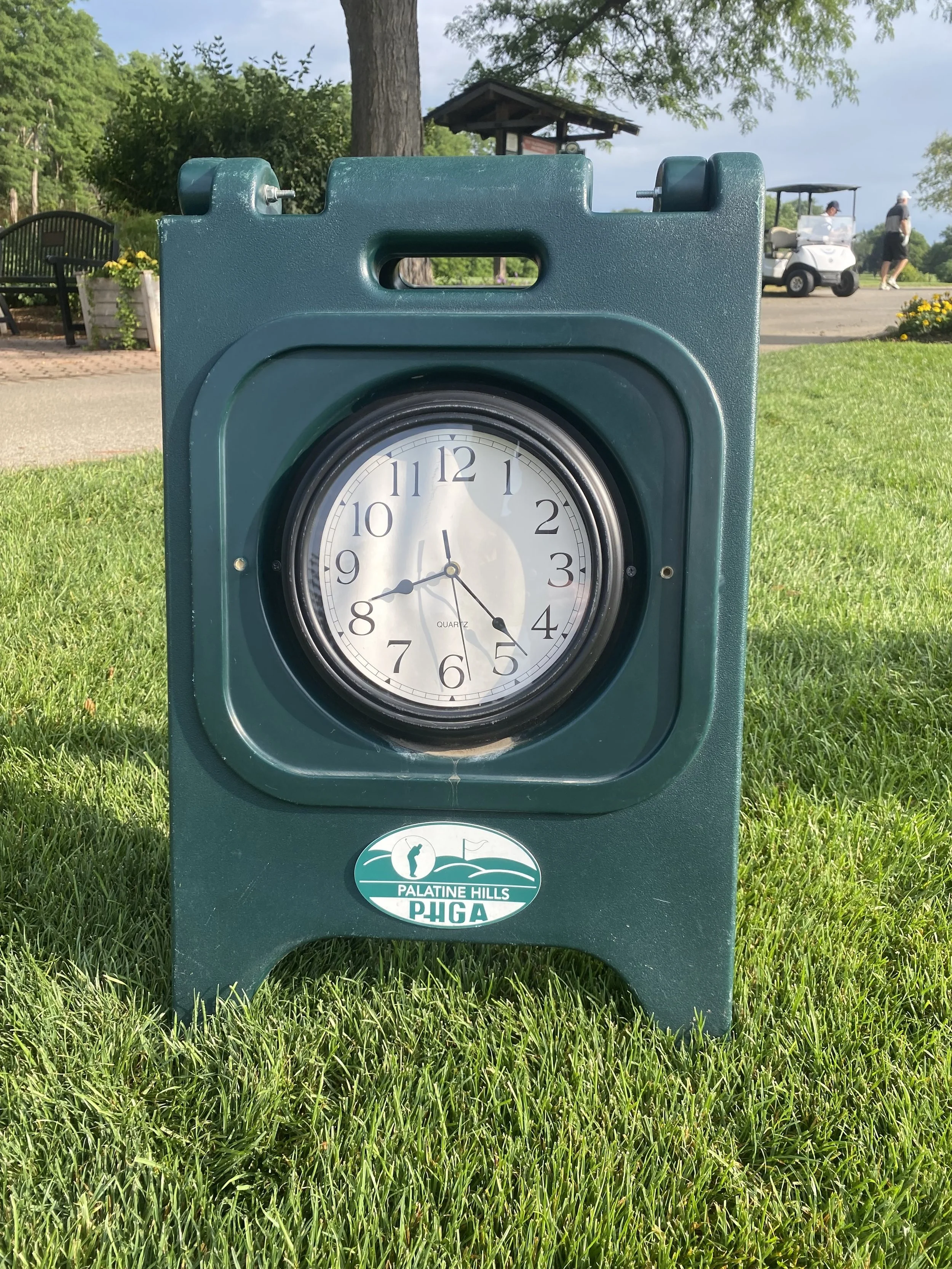
PHGA Clock Helping with Pace of Play
You too can check your group’s pace of play by checking the PHGA clock before and after round. No more than 4:15, really !!